
Ultimate Quickbooks Template for Amazon Bookkeeping
Part 2: Import Cost of Goods to Quickbooks
Part 3 - Simple Profit & Loss Sheet to track Amazon Profits
Most bookkeeping firms charge $400/month. But what if I told you... You can handle your Amazon bookkeeping in 10 minutes for just $35/month?
And you get the exact Google Sheet I use—for free. Download it here 👈
Stop Overpaying for Bookkeeping 💸
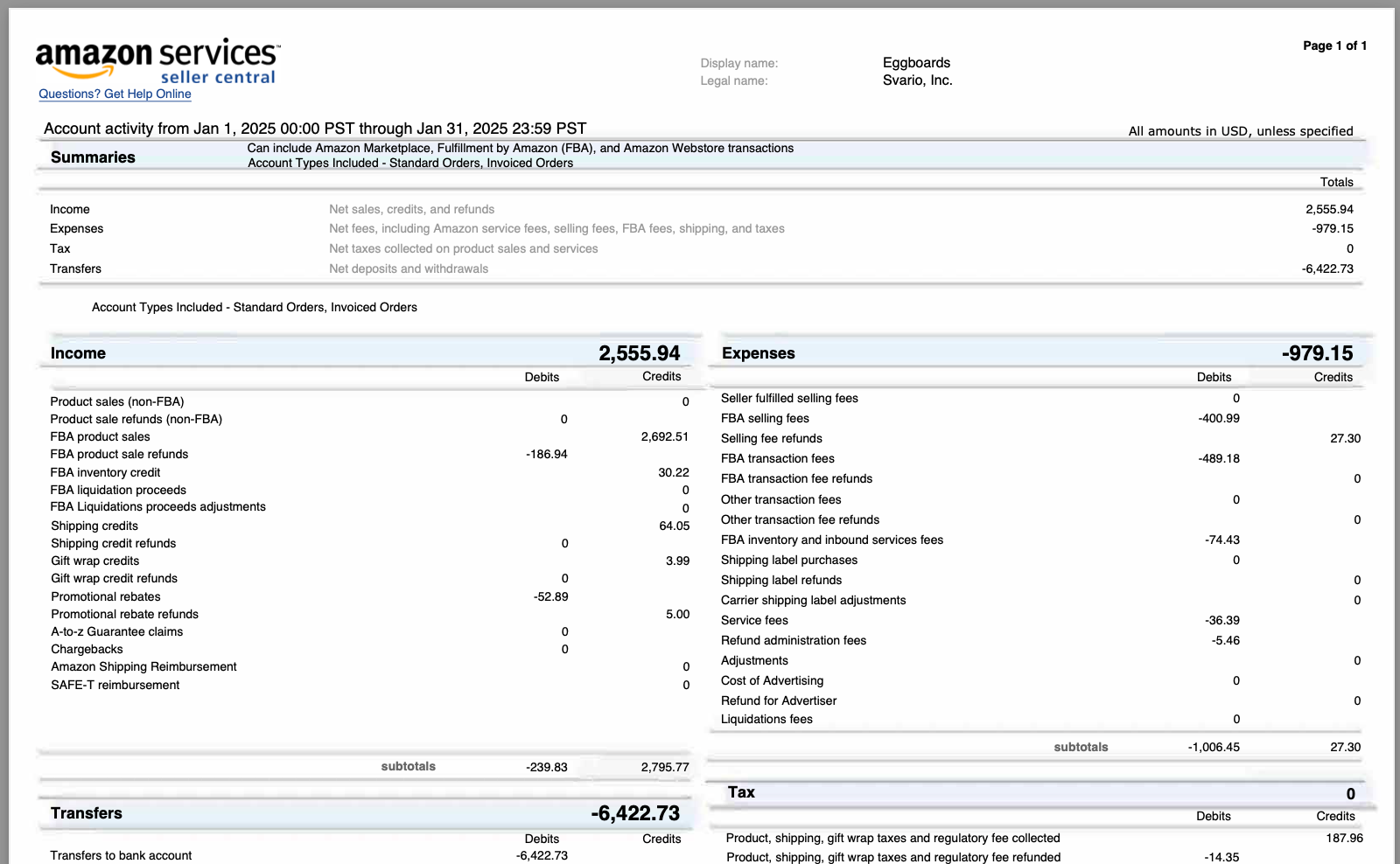
We’ll go from this Amazon Payment Report which doesn't give us any insights...
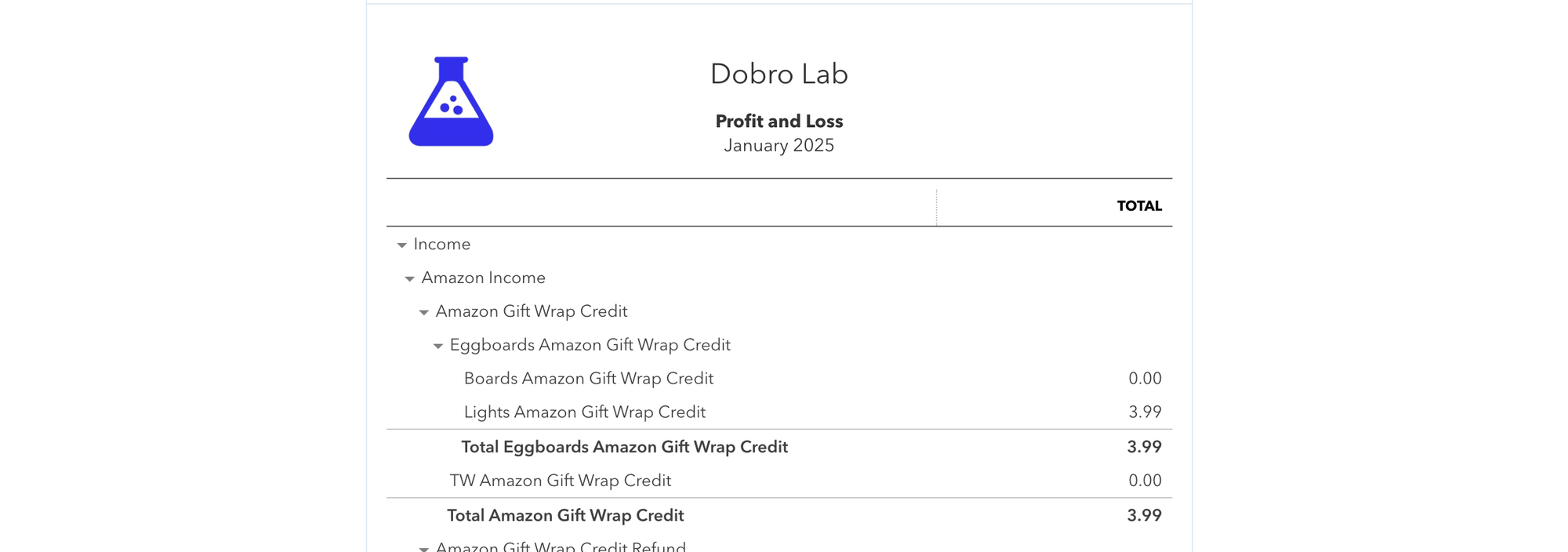
...to this QuickBooks Profit & Loss report 📈...
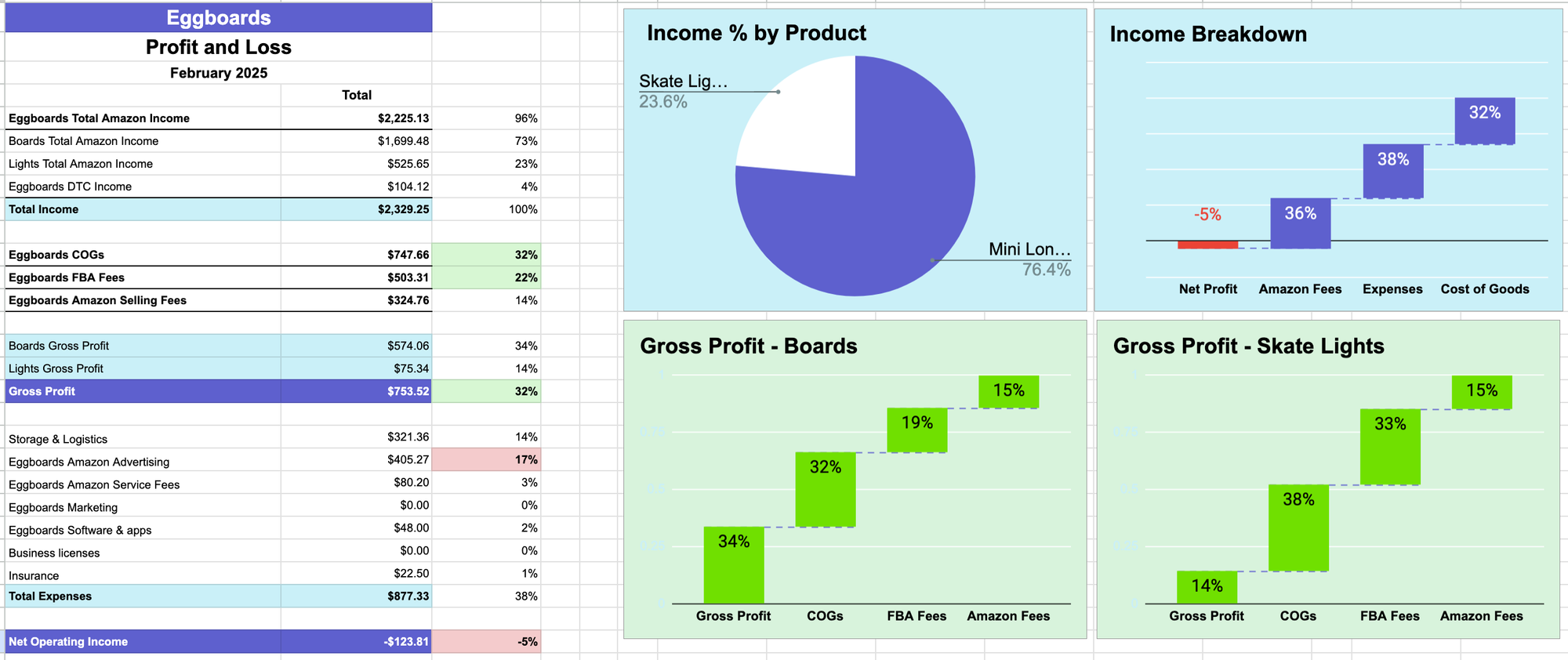
To this beautiful P&L sheet with charts 🌟
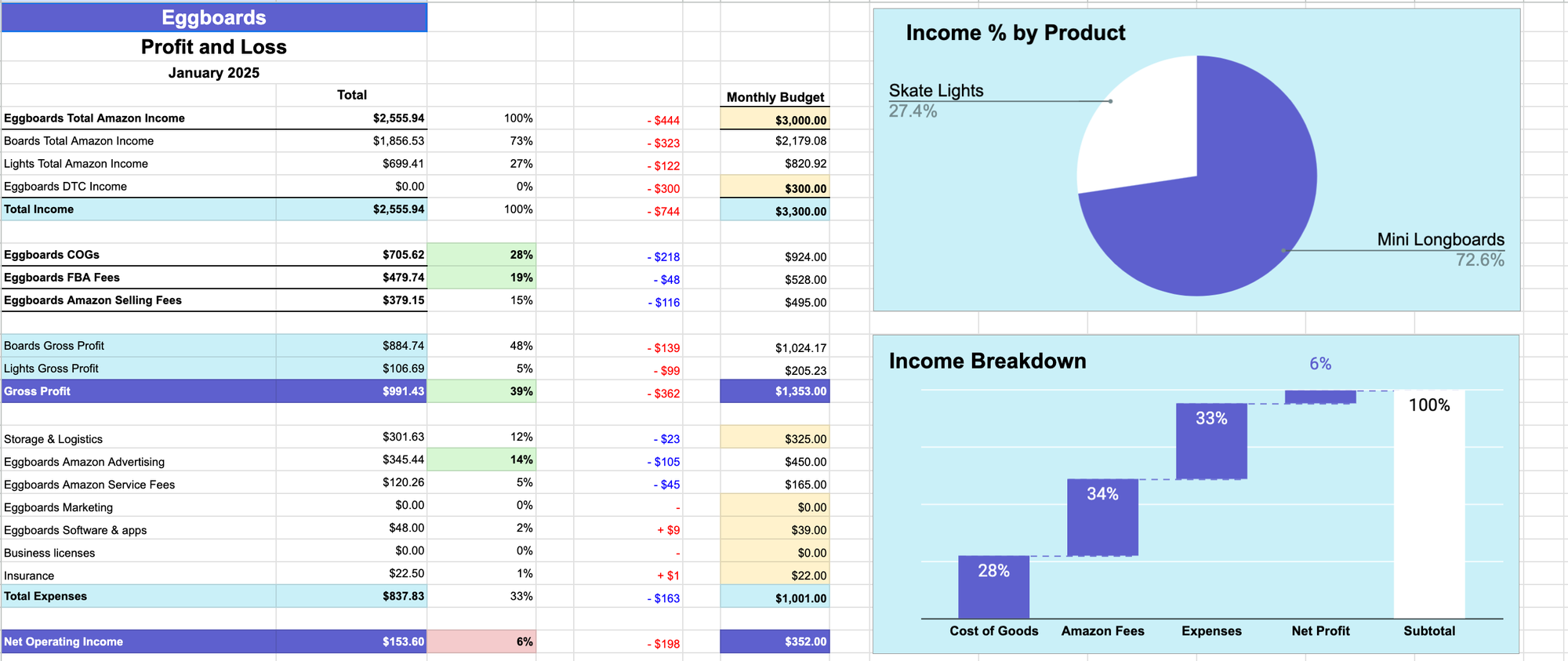
No errors. 100% accurate. Matches your Amazon 1099-K form for tax season.
My Amazon Bookkeeping System (3-Part Guide):
- 📅 Today: Import Amazon sales data into QuickBooks.
- ➡️ Next: Add your Cost of Goods.
- 💎 Finally: Export QuickBooks data into a Profit & Loss Sheet.
👉 Sign Up to Get this QuickBooks Template for Amazon
What’s the Deal with Amazon Payment Reports? 📑
It’s Amazon’s way of showing what you earned. But it’s confusing.
Why? Because it includes fees for shipping, gift wrap, promotions, and other stuff that clutters the numbers.
This makes it hard to see your Gross Profit.
Why You Need Gross Profit Per Product
My brand Eggboards sells 2 main products:
- 🛹 Mini Longboards Skateboards
- 💡 Skateboard Lights
In January, skateboards crushed it—but lights dragged me down.
If I only looked at the total Gross Profit, I wouldn't know. You need product-level data.
Tons of Amazon tools, but they miss the mark.
Most tools I've tried don't provide product-level Gross Profit. Some examples:
SellerBoard
✅ Detailed PL Statement
❌ Doesn't match Amazon Payments Report
❌ No product breakdown in their P&L.
❌ Doesn't sync with your bank. You end up inputting expenses manually
A2X
✅ Matches Amazon Payment Report
✅ Integrates with Quickbooks which integrates with your bank
❌ No product breakdown in their P&L.
❌ Minimum plan is $59 if you want Cost of Goods (you do!)
My Amazon Bookkeeping Template
✅ Integrates with Quickbooks which integrates with your bank
✅ Matches Amazon Payments Report
✅ Product breakdown in P&L
✅ Ready to file taxes at the end of the year
On top of this, my system can be easily outsourced.
My Virtual Assistant handles it monthly.
The spreadsheet automatically raises flags when numbers need to be checked, but it rarely happens.
How to Import Amazon Sales into QuickBooks 💾
- Download Amazon Payment Report.
- Open my Spreadsheet (download it here).
- Paste the report into the sheet.
- Check numbers match the Payment Report.
- Export CSV from the sheet.
- Open QuickBooks.
- Import CSV.
- Boom 💥. See Amazon sales + product-level breakdown in P&L 🚀
QuickBooks Setup: Chart of Accounts
🧑💻 You need categories for all Amazon items.
That’s called the Chart of Accounts in QuickBooks.
To save time, you can import mine (here). Just swap “Eggboards” with your business name. Add/remove products as needed. Import into QuickBooks. Done ✅
Recap and Next Steps 🚀
📊 Today we covered:
- Why Amazon Payment Reports are messy.
- Why product-level Gross Profit is crucial.
- Why this system beats pricier tools.
- How to set up QuickBooks for Amazon.
- How to import Amazon sales into QuickBooks.
👉 Sign Up to Get this QuickBooks Template for Amazon
Next up: Adding Cost of Goods into QuickBooks 📅
Questions? Drop them below 👇


Member discussion